Wordpress Website/Blog:
History in two lines:
WordPress was initially released on 27th May 2003 by Matt Mullenweg and Mike Little. WordPress was announced as open source in October 2009.
WordPress is an open source Content Management System (CMS), which allows the users to build dynamic websites and blogs. WordPress is the most popular blogging system on the web and allows updating, customizing and managing the website from its back-end CMS and components.
What is Content Management System (CMS)?
The Wordpress is based on a software named Content Management System (CMS), which stores all your data such as text, videos, articles, photos, music, documents, etc. which you made it available on your website. It is the easiest way to manage your website for different purposes like editing, publishing and modifying the content of the website.
START WORDPRESS BY INSTALLATION:
System and software Required for Installation are:
Web Server −
WAMP (Windows)
LAMP (Linux)
XAMP (Multi-platform)we us this
MAMP (Macintosh)
Operating System − Cross-platform
BrowsersIE (Internet Explorer 8+), Firefox, Google chrome, Safari, Opera
PHP Compatibility − PHP 5.2+Download WordPress
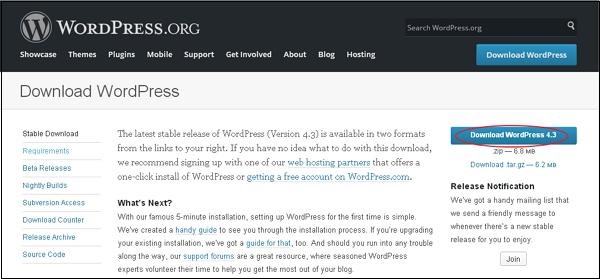
- You can download Wordpress latest version from this link https://wordpress.org/download/
- you can install Wordpress in your desire folder except for c:// drive and then
- Extract its files
Installation XAMPP SERVER:
Xampp server contains all these 3 in one in it.
- Apache
- MySql
- Php
You can download wordpress latest version from this link https://www.apachefriends.org/download.html
Remember ! install Xampp in C:// drive not in c:// user data or c://program file (x86) or f:// or other

after installation open xampp control panal

Now Xampp server is started

Type localhost/ in browser

This is your xampp dashboard in your browser
now click phpmyadmin

This is your Phpmyadmin dashboard where u create your database Mysql

just click create new database

go to in your Xampp folder in c:// +htdocs folder

- Create new folder in htdocs folder
- paste all the 19 files from wordpress-4.8.1 to this (xxampp\htdocs\New Folder (the new folder you created).


0 comments:
Post a Comment